Making Notification Text 🅵🅰🅽🅲🆈

iOS

On iOS you can use 𝕦𝕟𝕚𝕔𝕠𝕕𝕖 𝖙𝖗𝖎𝖈𝖐𝖘 to add stylized text to your notifications. We suggest using TextEditor to stylize your text, which can then be pasted into Teak’s message editor.

Android

In addition to text from TextEditor, Android supports HTML-lite tags in notification text, which can be used to apply formatting and color to your messages.
Supported Tags

The following tags are supported:

<b>

bold

<i>

italic

<tt>

monospace

<u>

underline

<strike>

strikethrough

<font color="…​">

change text color

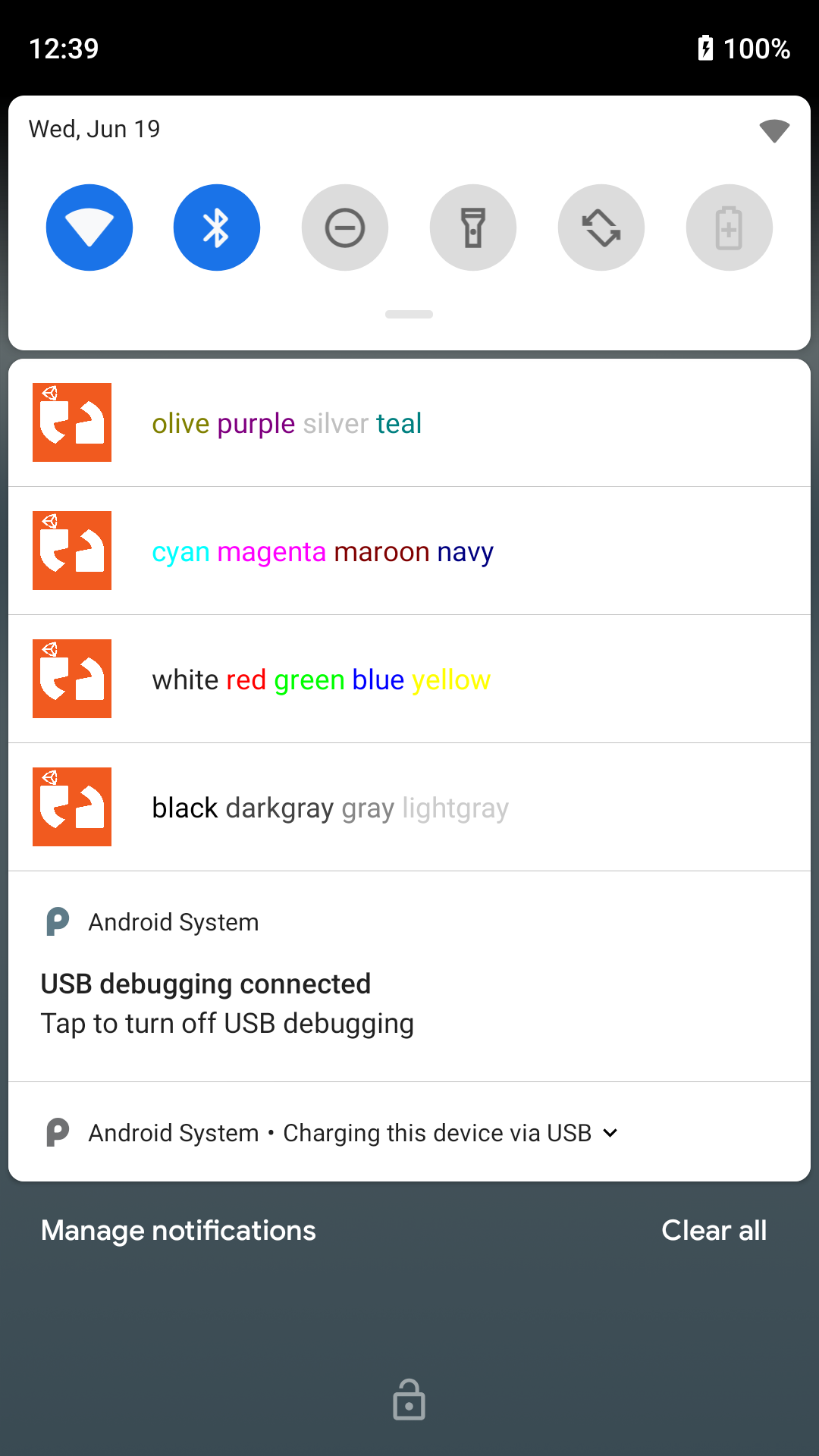
Supported Colors

android html colors
Figure 1. These are how the colors look on a Google Pixel

The following colors are supported:

  • black

  • darkgray

  • gray

  • lightgray

  • white

  • red

  • green

  • blue

  • yellow

  • cyan

  • magenta

  • maroon

  • navy

  • olive

  • purple

  • silver

  • teal